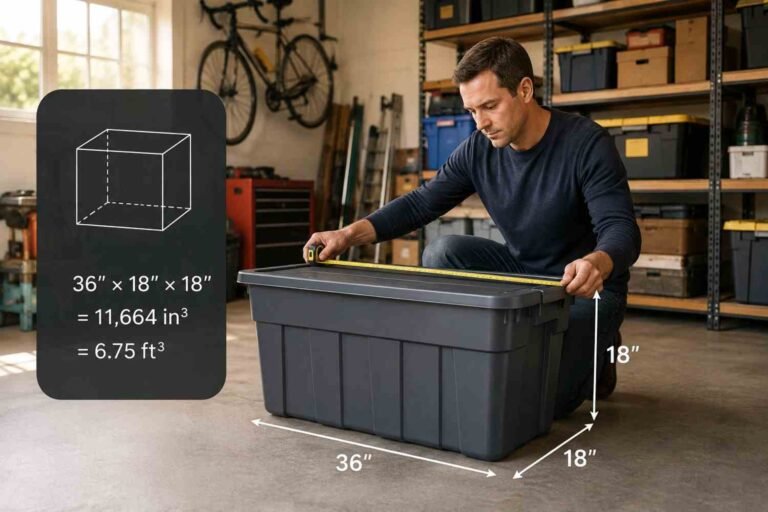

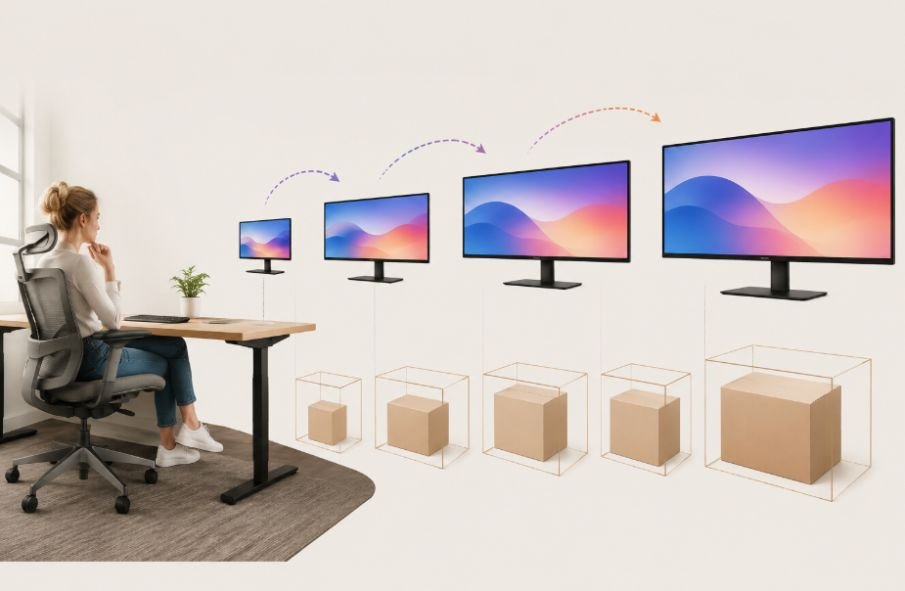
I first started thinking about monitor volume when I had to figure out how much space a display would actually take up during a move. The screen size seemed like the obvious answer, but a 27-inch monitor did not look anything like a 27-inch cube. Once I looked at the width, depth, height, stand, and packaging separately, the calculation made much more sense.
I also realized that people asking this question may be measuring two very different things. You might want to know the physical volume of the monitor itself, or you might need to know how much room the packaged monitor will take in a moving truck, storage unit, or shipping area. Those numbers can be surprisingly different.
How Many Cubic Feet Is a Computer Monitor?
A standalone computer monitor generally occupies about 0.20 to 0.80 cubic feet based on its physical panel dimensions, although the exact volume varies by screen size, design, aspect ratio, and depth.
For practical estimates, a small 21.5-inch monitor may be around 0.20 cubic feet, a typical 27-inch monitor around 0.39 cubic feet, and a larger 34-inch ultrawide around 0.81 cubic feet.
These are estimates rather than universal measurements. A monitor’s advertised size refers to the diagonal measurement of the display, not its total physical volume. Manufacturers list screen size separately from the monitor’s width, height, and depth, which is why two monitors with the same diagonal size can occupy different amounts of space.
If the monitor is packed in its original box with foam, accessories, and protective materials, the space requirement is much larger. A packaged monitor can take roughly 1.5 to 4 cubic feet, depending on its size.
Why Screen Size Does Not Tell You Its Cubic Feet
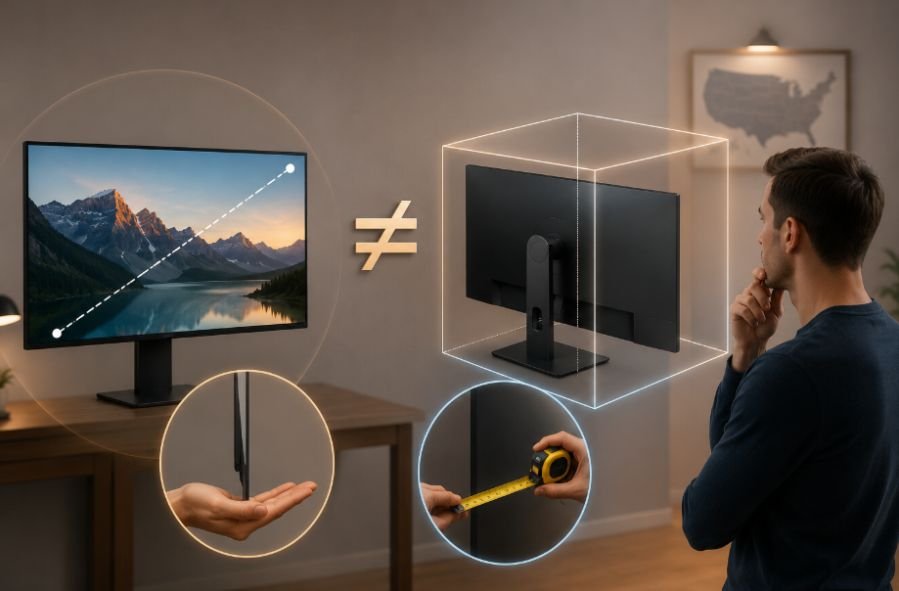
A 27-inch monitor does not measure 27 inches across. That number represents the diagonal distance from one corner of the display to the opposite corner.
For example, a typical 27-inch 16:9 display has a screen area close to 23.5 inches wide by 13.2 inches high. The complete monitor is larger because the frame and rear housing add to those measurements. One current 27-inch model measures about 24.1 inches wide and 13.9 inches high without its stand, with a depth of roughly 2 inches.
Aspect ratio also matters. A 34-inch ultrawide display is much wider than a conventional 34-inch screen would be if it used a different shape. A current 34-inch ultrawide model, for example, measures about 31.9 inches wide and 14.1 inches high without the stand.
That is why screen size alone cannot give you an accurate cubic-foot measurement.
Approximate Monitor Volume by Size
For a simple estimate, these ranges are useful:
- Small 21.5-inch monitor: about 0.20 cubic feet
- Medium 27-inch monitor: about 0.39 cubic feet
- Large 34-inch ultrawide: about 0.81 cubic feet
The estimates assume the monitor is treated as a rectangular volume using its approximate width, height, and depth.
A 21.5-inch display might measure roughly 19.5 inches wide, 11.5 inches high, and 1.5 inches deep. A 27-inch display might be around 24 inches wide, 14 inches high, and 2 inches deep. A 34-inch ultrawide can reach roughly 32 inches wide, 14.5 inches high, and 3 inches deep.
The actual dimensions can differ considerably. Curved screens, thicker housings, built-in speakers, rear ports, and other design features all affect the physical size.
How to Calculate the Cubic Feet of a Monitor
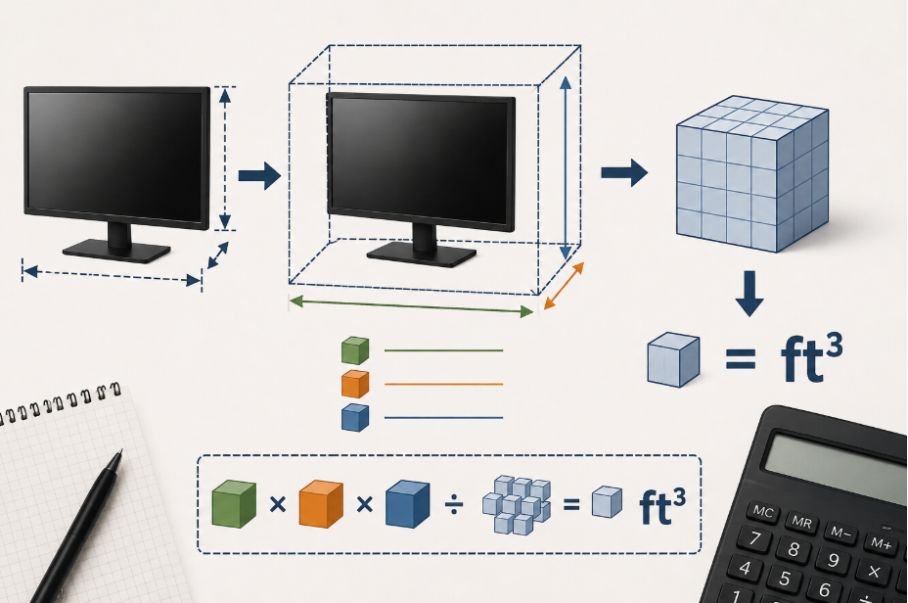
The calculation itself is straightforward.
First, measure the monitor’s width, height, and depth in inches. Multiply those three measurements to get cubic inches. Then divide the result by 1,728 because one cubic foot contains 1,728 cubic inches.
For example, suppose your monitor measures 24 inches wide, 14 inches high, and 2 inches deep:
24 × 14 × 2 = 672 cubic inches
Then:
672 ÷ 1,728 = 0.39 cubic feet
So that monitor would occupy approximately 0.39 cubic feet when treated as a rectangular object.
This method works for almost any monitor. If you have the manufacturer’s dimensions, you can use those instead of measuring the unit yourself.
Does the Monitor Stand Change the Measurement?
Yes, and this is one of the easiest details to overlook.
A monitor’s panel may be relatively thin, but the stand can add several inches to its depth and height. For example, one 27-inch display measures only about 2 inches deep without its stand but about 7.6 inches deep with the stand attached.
That difference matters when you are estimating storage or moving space.
If you are measuring how much room the assembled monitor needs on a desk, include the stand. If you are measuring the panel for packing after removing the stand, use the panel dimensions instead.
This distinction is also useful when comparing the volume of a monitor with other household objects. If you are calculating how much space a lamp occupies, for example, the same basic approach applies: measure the object’s maximum length, width, and height, then convert the result to cubic feet.
What About the Monitor’s Shipping Box?
The shipping box can take two or more times the space of the bare monitor.
A small monitor may require roughly 1.5 to 2 cubic feet when packed. A medium monitor may need about 2 to 2.5 cubic feet, while a large or ultrawide display can require around 3 to 4 cubic feet.
The reason is not just the cardboard box. Manufacturers need room for foam inserts, protective corners, cables, stands, power adapters, manuals, and clearance around the screen.
This same packaging-versus-product gap applies to any shipped carton I break down the exact math in my shipping carton size guide, which covers how to measure a sealed box correctly for moving or freight.
A 34-inch ultrawide model, for example, has a listed shipping size of about 38.8 × 20.6 × 8.3 inches, which works out to roughly 3.85 cubic feet.
So if you are planning truck space or storage, use the box dimensions rather than the panel volume.
How to Measure Your Monitor Before Moving It
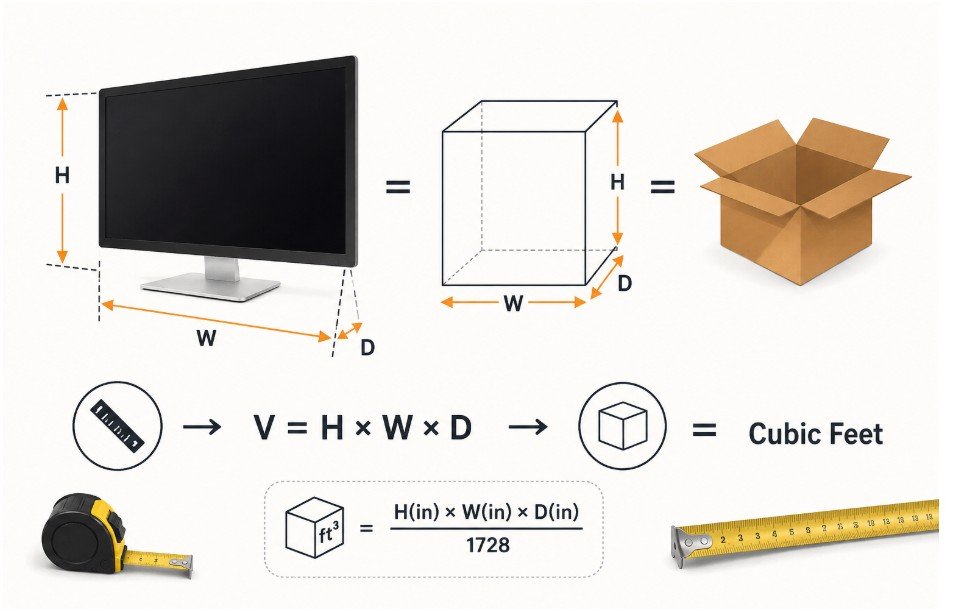
If accuracy matters, measure the actual object you have rather than relying on its screen-size label.
Measure the widest point from left to right, the tallest point from top to bottom, and the deepest point from front to back. Decide whether the stand will remain attached. Then multiply the three measurements and divide by 1,728.
For a packed monitor, measure the outside of the box instead. Include the full length, width, and height of the packaging because that is the space the box will actually consume.
The same principle works when comparing a monitor with a television. If you’re packing multiple electronics for a move, my plastic container size guide covers how to match bin sizes to fragile items like monitors and other electronics.
A television’s diagonal screen size also does not tell you its total volume, so its physical width, height, and depth are needed for an accurate calculation.
Why the Box Matters More Than the Screen
The actual panel volume is useful when you are comparing the physical size of different monitors. But when the goal is moving, shipping, or storage, the packaged volume is usually the number that matters.
A slim 27-inch panel may occupy less than half a cubic foot by a simple rectangular calculation, while its protected shipping box can take around two cubic feet. That difference can become significant when you are estimating space for several displays.
The easiest approach is to measure the thing you will physically store or transport. For an unpacked monitor, use the monitor’s dimensions. For a boxed monitor, use the outside dimensions of the box.
Frequently Asked Questions
1. How many cubic feet is a 27-inch monitor?
A typical 27-inch monitor can be around 0.39 cubic feet when estimated from dimensions of roughly 24 × 14 × 2 inches. Actual volume varies by model and whether the stand is included.
2. How much space does a monitor need when boxed?
A boxed monitor commonly needs about 1.5 to 4 cubic feet. Larger ultrawide models usually require more packaging space than smaller displays.
3. Does a monitor’s stand count toward cubic feet?
It should if you are measuring the assembled monitor. The stand can add substantial height and depth, so leaving it out may underestimate the space required for storage.
4. How do I calculate monitor volume myself?
Measure the width, height, and depth in inches. Multiply them together, then divide by 1,728 to convert cubic inches into cubic feet.
The Right Measurement Depends on What You Are Doing
There is no single cubic-foot number that applies to every computer monitor. Screen size gives you a useful starting point, but physical dimensions tell you what the monitor actually occupies. Once you account for depth, aspect ratio, the stand, and packaging, the difference becomes clear.
For a quick estimate, small monitors may occupy around 0.20 cubic feet, common 27-inch models around 0.39 cubic feet, and large ultrawides around 0.81 cubic feet before packaging.
If you are moving or storing the display, measure the box instead. That simple step gives you a much more realistic idea of the space you will need.

Ryan Mitchell
Ryan Mitchell holds a degree in Civil Engineering and spent over a decade working in construction project estimation, where accurate volume and material calculations were part of his daily work — from concrete pours to landscaping material orders. He founded this site to bring that same precision to everyday calculations, helping DIYers, contractors, and students get fast, accurate cubic footage results without the guesswork. Ryan reviews every calculator and formula on this site for accuracy and writes guides based on real-world measurement scenarios he's encountered on job sites.