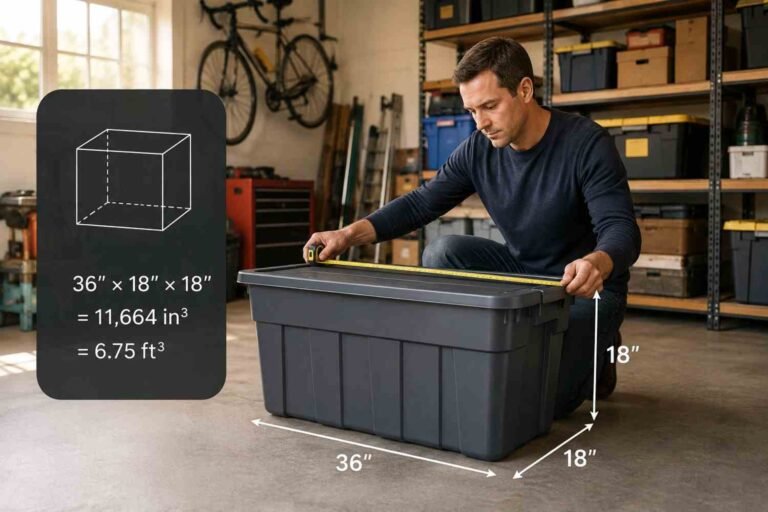

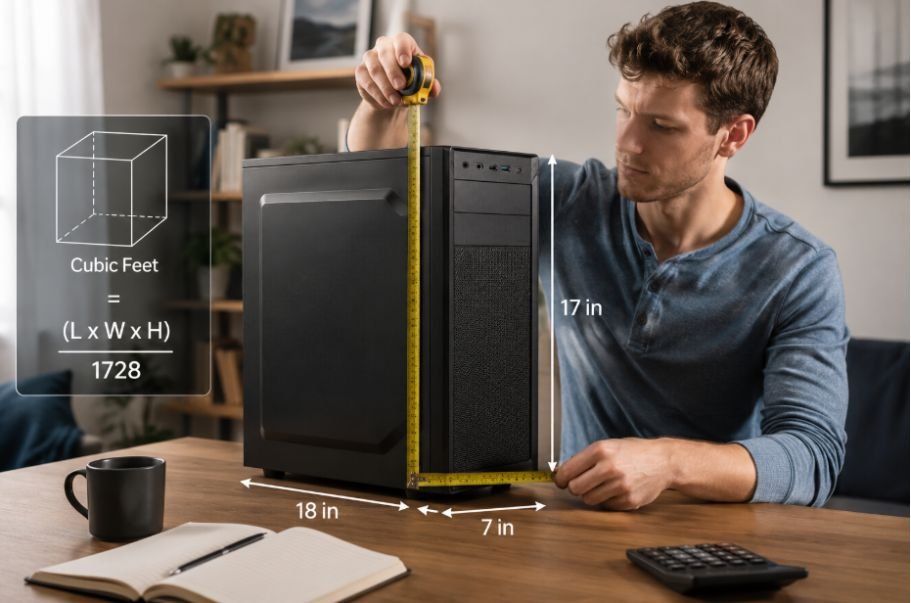
I used to think computer size was easy to judge by looking at the case. Then I started comparing different desktops and realized how misleading that can be. Two towers can both look like ordinary desktop PCs while taking up very different amounts of physical space. For moving, storage, shipping, or fitting a computer into a specific area, height, width, and depth tell a much clearer story.
I also found that cubic feet is a useful way to turn those three measurements into one number. A typical mid-tower desktop comes out to around 1.4 cubic feet, but that is only a starting point. Compact computers can take up less than half a cubic foot, while large full-tower systems can occupy more than 2 cubic feet. The right estimate depends heavily on the case you actually have.
How Many Cubic Feet Is a Desktop Computer?
A standard mid-tower desktop computer takes up roughly 1.0 to 1.6 cubic feet of external volume, with about 1.4 cubic feet being a reasonable midpoint. That works out to approximately 30 to 45 liters.
There is no single cubic-foot measurement for every desktop computer. A small form factor PC may occupy only about 0.35 to 0.55 cubic feet, while a large full-tower system can reach roughly 1.9 to 2.8 cubic feet.
The difference comes from the computer case. Desktop PCs are available in several form factors, and their dimensions can vary significantly even within the same general category.
How to Calculate a Desktop Computer’s Cubic Feet
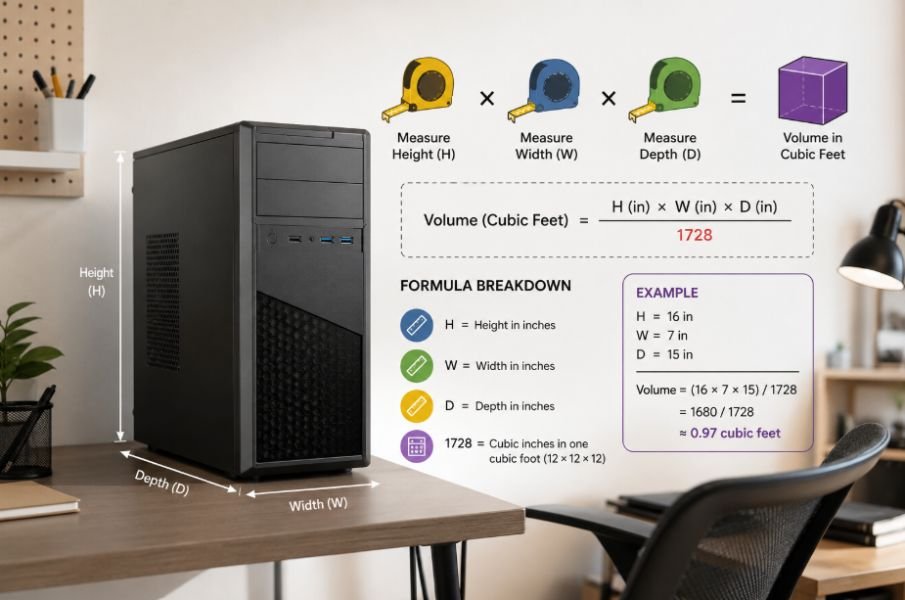
If you need the most accurate number, measuring your own computer is better than relying on an average.
The calculation is straightforward:
Height × width × depth = cubic inches
Then convert cubic inches to cubic feet:
Cubic inches ÷ 1,728 = cubic feet
The number 1,728 comes from multiplying 12 inches by 12 inches by 12 inches, since one cubic foot contains 1,728 cubic inches.
For example, suppose a desktop case measures 18 inches high, 8 inches wide, and 17 inches deep.
18 × 8 × 17 = 2,448 cubic inches
2,448 ÷ 1,728 = approximately 1.42 cubic feet.
That puts the computer comfortably within the typical range for a mid-tower.
When measuring, use the computer’s external dimensions. Include fixed parts that extend beyond the main case if they affect the amount of physical space the computer occupies.
Typical Desktop Computer Sizes by Cubic Feet
Desktop case categories provide a useful starting point when you do not have the exact dimensions.
Small Form Factor
Small form factor, or SFF, computers generally occupy around 0.35 to 0.55 cubic feet, or approximately 10 to 15 liters.
These compact systems work well in small offices, media centers, and workspaces where a conventional tower would take up too much room. Their smaller dimensions can limit component options, though, particularly when it comes to graphics cards, cooling systems, and expansion.
Mid-Tower
Mid-tower cases generally fall around 1.0 to 1.6 cubic feet, or approximately 30 to 45 liters. This is one of the most common choices for home computers and gaming systems.
The size gives manufacturers enough room for standard components, multiple storage drives, larger graphics cards, and more substantial cooling without requiring the physical space of a full tower.
Full-Tower
Full-tower computers can occupy roughly 1.9 to 2.8 cubic feet, or about 55 to 80 liters.
These larger cases are useful for high-performance workstations, demanding gaming builds, and systems that require substantial cooling or numerous components. Their extra capacity can also make installation and cable management easier, but the tradeoff is a much larger physical footprint.
Why Desktop Computer Dimensions Vary
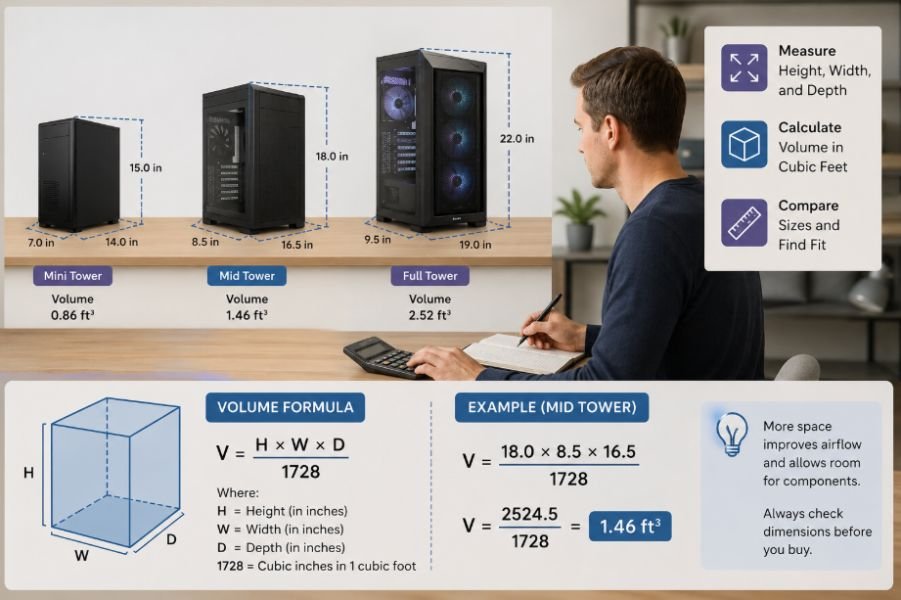
A desktop computer’s volume depends on more than the motherboard inside it. Case manufacturers design towers around different cooling systems, component clearances, storage options, power supplies, and expansion requirements.
Two mid-tower cases can therefore have noticeably different dimensions. One may be relatively narrow and tall, while another may be shorter but considerably deeper.
The same applies to compact PCs. Some are designed to sit horizontally under a monitor, while others stand vertically. Their total volume may be similar, but their shape can make one much easier to fit into a particular space.
That distinction matters when you’re measuring for a desk, cabinet, shelf, or storage area. Cubic footage tells you the overall volume, but it does not tell you whether the computer will physically fit.
Do You Need Space for the Entire Computer Setup?
The computer tower is only one part of a typical desktop setup. If you are planning a move, reorganizing an office, or estimating storage requirements, remember that the monitor, keyboard, mouse, speakers, cables, and other accessories also take up space.
For example, someone asking about the cubic feet a computer monitor takes up is dealing with a different measurement than someone calculating the volume of the tower alone. A monitor may have a relatively thin body but still require additional space because of its stand and protective packaging.
This distinction becomes especially useful when estimating how much room an entire workstation will need. Adding the individual components gives you a more realistic picture than using the tower’s cubic footage alone.
Cubic Feet Isn’t the Same as Usable Space
A computer with a calculated volume of 1.4 cubic feet does not mean you have 1.4 cubic feet of usable empty space inside the case.
The external calculation includes the case walls, structural supports, fans, cable-routing areas, drive bays, and other components. Internal volume is a separate measurement used more often when discussing PC case capacity and component compatibility.
The same principle applies when planning where to put the computer. A tower may have a relatively modest cubic volume but still need additional clearance around it for ventilation and cable connections.
That is why the three individual measurements can be more useful than the final cubic-foot figure when you are checking whether a desktop will fit somewhere.
What About Packing a Desktop Computer for Moving?
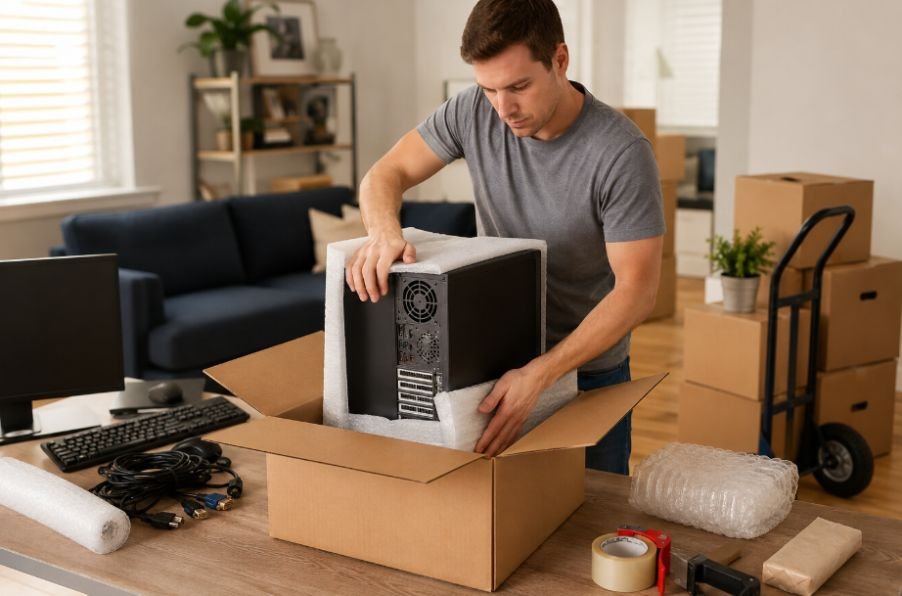
The computer’s dimensions also change once you start thinking about transportation.
A tower that occupies 1.4 cubic feet by itself will need more space when placed inside a shipping or moving box. Protective padding needs room around the case, and the packaging should prevent the computer from shifting during transport.
If you’re calculating shipping or storage requirements, measure the packed dimensions rather than using the bare computer’s volume. The box can add several inches to each measurement, which can produce a surprisingly large difference after multiplying the three dimensions.
The same principle applies when comparing the space needed for other large electronics. For example, knowing the cubic-foot volume of a television can help when estimating how much room different household electronics will require, particularly when everything needs to be packed for a move.
How to Get the Most Accurate Measurement
For an exact number, grab a tape measure and record the computer’s maximum external height, width, and depth.
Keep the measurements in the same unit. If you use inches, multiply them together and divide by 1,728. If the case has an unusual shape, measure the maximum dimensions needed to contain it rather than trying to calculate every curve or recessed section.
Also consider what you are actually trying to measure. If you need to know whether the computer fits under a desk, individual dimensions matter more than cubic feet. If you’re estimating transportation or storage capacity, cubic footage becomes more useful.
For a quick estimate, the case category can be enough. For a purchase, move, or shipping decision, measure the actual computer.
Frequently Asked Questions
1. How many cubic feet is an average desktop computer?
A typical mid-tower desktop is around 1.0 to 1.6 cubic feet, with approximately 1.4 cubic feet being a reasonable estimate for a standard system.
2. How do you calculate cubic feet from computer dimensions?
Multiply the computer’s height, width, and depth in inches. Then divide the result by 1,728 to convert cubic inches into cubic feet.
3. Are all desktop computers the same size?
No. Small form factor PCs can take up less than 0.6 cubic feet, while large full-tower systems can exceed 2 cubic feet. Case design also varies within each category.
4. Does cubic footage tell me if a computer will fit somewhere?
Not by itself. A computer’s height, width, and depth are more important when checking whether it will fit inside a desk, cabinet, shelf, or other specific space.
Why the Actual Dimensions Matter Most
Cubic feet gives you a convenient way to understand the overall size of a desktop computer, but the number should not replace the actual measurements. A 1.4-cubic-foot tower can have a very different shape from another case with roughly the same volume, and that difference can determine whether it fits where you need it.
When space matters, measure first and calculate second. The simple formula gives you the volume, while the individual dimensions tell you how that volume is actually distributed.

Ryan Mitchell
Ryan Mitchell holds a degree in Civil Engineering and spent over a decade working in construction project estimation, where accurate volume and material calculations were part of his daily work — from concrete pours to landscaping material orders. He founded this site to bring that same precision to everyday calculations, helping DIYers, contractors, and students get fast, accurate cubic footage results without the guesswork. Ryan reviews every calculator and formula on this site for accuracy and writes guides based on real-world measurement scenarios he's encountered on job sites.